How to Setup Global Payment Gateways on WordPress.
The Borderless Creator Toolkit:
Get the exact 3-step framework to build high-income digital assets, automate your workflows with Agentic AI, and set up restriction-free global payment channels from anywhere in the world.
Acquire The Digital Mastery Empire to Master, Build, Promote, Solve Digital Skills Problems. What You Will Learn:
* Mastering Digital Skills Online, * Building Digital Skills Online, * Promoting Digital Skills Online, and * Solving Digital Skills Problems Online. Enroll Now

Do you want to setup global payment gateways on your website? Setting up global payment gateways on WordPress means connecting your website to trusted online payment systems that allow customers from different countries to pay for products, services, memberships, or courses securely. The process typically involves choosing a payment provider such as PayPal, Stripe, Flutterwave, or other international payment services, creating an account, verifying your business details, and integrating the gateway with your WordPress website using plugins.
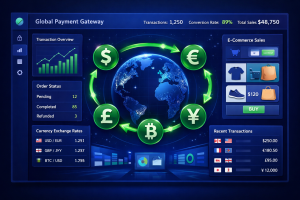
One of the fastest ways to cap your earning potential as a digital entrepreneur is to restrict your checkout system to local currencies. If your digital storefront can only process local credit cards, you are leaving an immense global market completely untapped. A premium digital business requires a borderless transactional foundation. By opening your platform to international buyers, you can safely scale your brand to audiences across Africa, Europe, and the Americas.
Setting up an international payment system on WordPress does not require complex custom coding or specialized accounting degrees. Thanks to modern API infrastructure, you can turn your website into a multi-currency powerhouse in an afternoon.
Choosing Your Global Payment Processor
To accept international payments seamlessly, your transactional engine needs to support automatic currency conversions and secure data pathways.
For creators operating out of emerging markets, platforms like Flutterwave and Paystack offer robust, out-of-the-box integration suites for WordPress. They allow you to collect payments via international cards, bank transfers, and mobile money systems effortlessly.
If you have managed to register an international business entity, integrating standard global processors like Stripe or PayPal unlocks instant credit card processing for billions of users worldwide.
Step-by-Step Gateway Integration
To connect your international payment framework safely, follow this operational checklist:
-
Activate WooCommerce: Ensure your storefront engine is fully configured and your currency settings match your primary target audience base.
-
Install the Official Gateway Plugin: Navigate to your WordPress repository and download the officially verified extension for your chosen processor (e.g., Flutterwave for WooCommerce).
-
Generate Private API Keys: Log securely into your merchant gateway dashboard, copy your unique live public and secret keys, and paste them directly into your site’s backend payment settings portal.
-
Enforce Strict SSL Routing: Never process payments without an active SSL certificate. Ensure your checkout URL displays the secure padlock icon to verify encrypted transactions.

Maximizing Your AdSense Earnings
The keyword auction space for terms like Cross-Border Merchant Accounts and Enterprise API Gateways features some of the highest advertiser competition on Google AdWords. Banking institutions and payment processing corporations spend millions of dollars daily bidding for traffic in this specific niche.
By detailing this processing framework cleanly on your blog, Google’s automated ad crawlers will mark your pages as premium inventory, serving ultra-high-paying financial ads that can dramatically inflate your future AdSense click revenue.
